

James Mimlitz, SCADAmetrics – ‘Slim’
Badger Meter (Milwaukee, WI) is a manufacturer of water meters and AMI systems in service of the municipal water industries. Here at SCADAmetrics (Wildwood, MO), we manufacture flow metering instrumentation in support of Badger Meter and others, with the stated mission of helping users extend such meters for enhanced SCADA and AMI interoperability and functionality.
Like many manufacturers of municipal-type flow meters, Badger’s signaling options include 3-wire encoded protocols (UI-1203/Sensus Protocol) for integration with AMI/AMR systems. SCADAmetrics instrumentation can leverage the encoded outputs and/or pulse outputs on Badger’s flow meters to extend their meters’ connectivity into the realms of SCADA, Telemetry, and Building Automation.
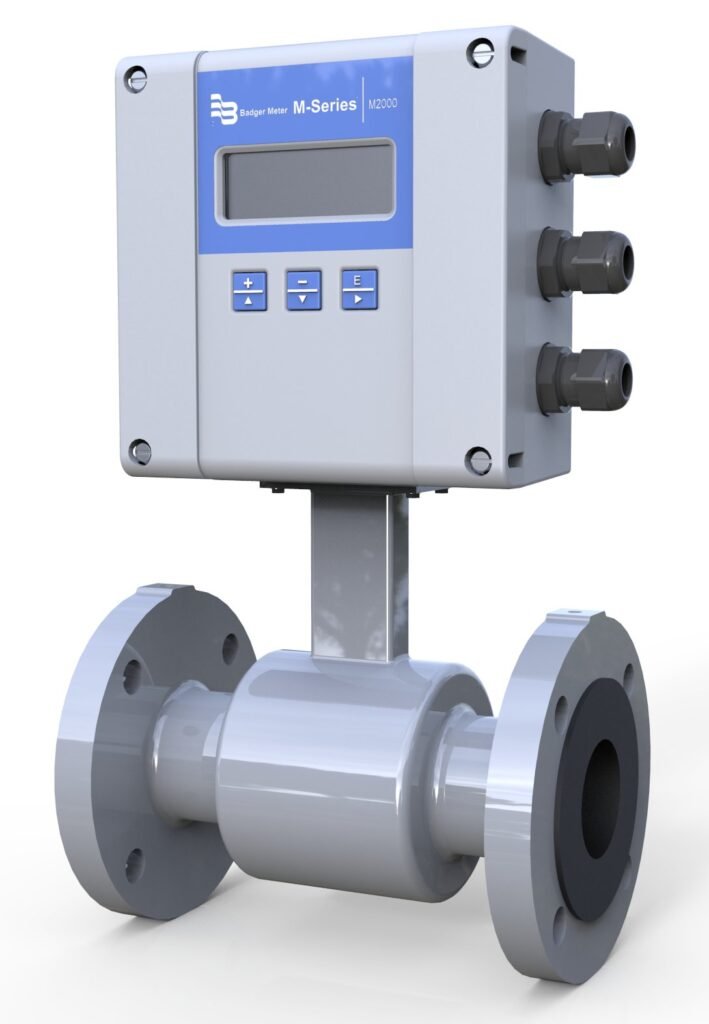
One of Badger’s popular meters is the model M-2000 ModMag flow meter. The M-2000 is a mains-powered, flanged, magnetic flow meter; and it offers a broad range of signaling options, including pulse, 4-20mA, and 3-wire encoded.
When in factory default settings, the encoded output of the M-2000 ModMag is turned OFF.
The purpose of this article is to assist the user in ENABLING and CONFIGURING the encoded output of the M-2000.
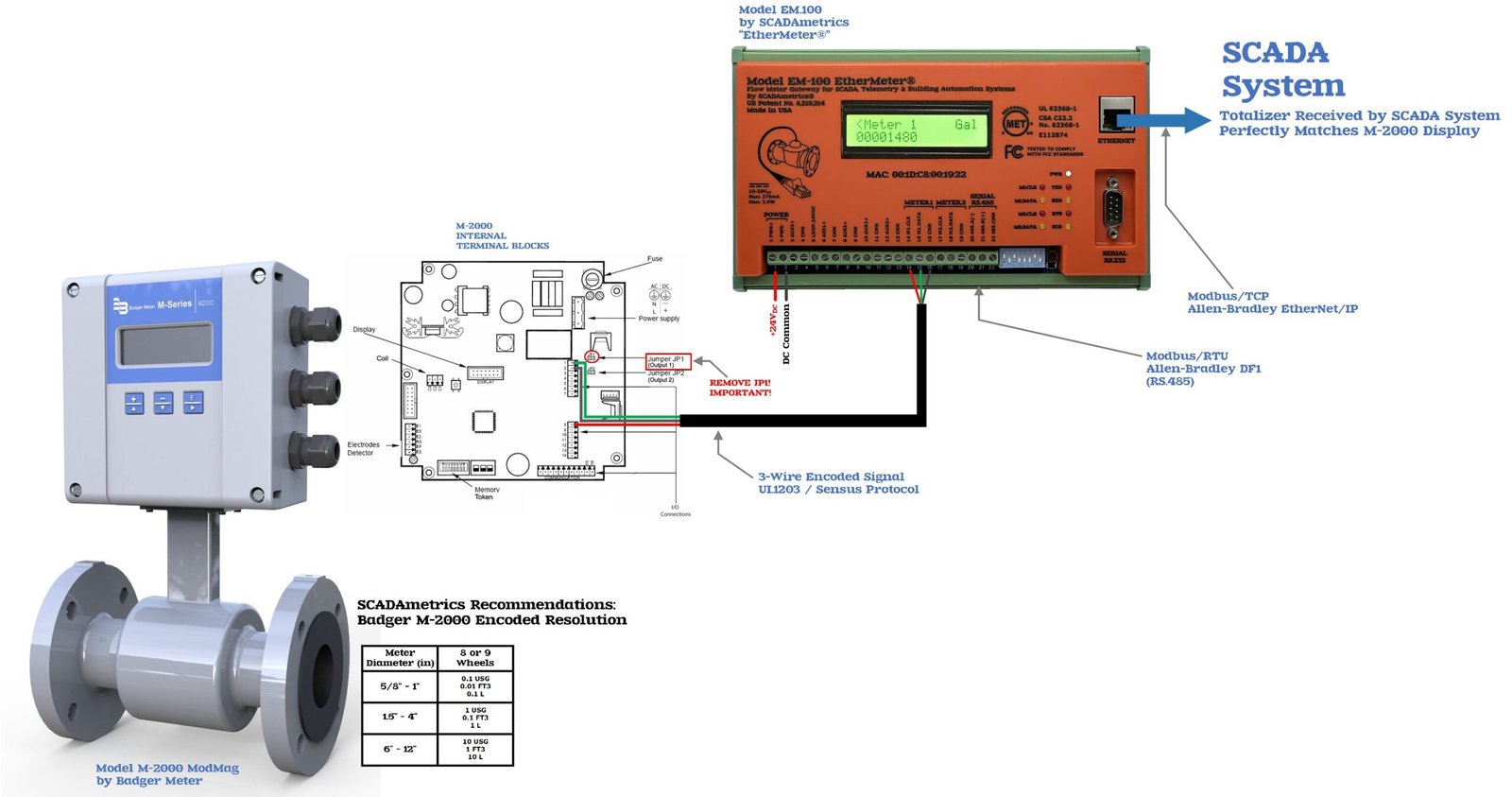
Within this article, the encoded output of the M-2000 will be shown as connected to a SCADAmetrics EtherMeter. The EtherMeter provides the M-2000 with digital SCADA connectivity, via popular protocols such as Allen-Bradley EtherNet/IP, Modbus/TCP, Allen-Bradley DF1, and Modbus/RTU.
However, after encoder enablement, the M-2000 may be connected to a whole host of SCADAmetrics instruments, including for example:
M-2000 Connected to EM.100 EtherMeter
Hardware Pre-Set of the M-2000
The front display cover of the M-2000 should be removed, and JP1 should be removed. This is vitally important, and this step should be performed BEFORE connecting any encoder wires to the M-2000 terminal block. See Figure.1 above.
Menu Pre-Set of the M-2000
The M-2000’s encoder interface requires firmware version 1.10 or later.
Three (3) settings under the Advanced Menu determine the encoder output:
- Set the Totalizer Resolution.
- Go to Advanced → Totalizer Resolution and select the resolution desired for the transmitted total. This establishes the value represented by the least-significant transmitted digit—for example, 1 gallon, 10 gallons, 0.1 gallon, etc. See the Resolution versus Meter Size Table in Figure.1 for the recommended resolution.
- Enable the Encoder Protocol.
- Go to Advanced → Encoder Protocol → Protocol Type and select: V2 — enhanced encoder protocol intended principally for Badger ORION equipment and SCADAmetrics instrumentation — both of which are capable of processing additional information. Selecting V2 (or V1) automatically reconfigures Digital Input and Digital Output #1 for encoder operation. Do NOT manually configure those I/O points afterward. Badger specifically warns that manually assigning the encoder I/O is not allowed.
- Set the Number of Encoder Digits (dials).
- Go to Advanced → Totalizer Dials → Dial Type and select the desired number of transmitted digits. The encoder protocol supports 4 through 9 dials. SCADAmetrics recommends 9 digits, although 8 is also acceptable.
M-2000 Encoder Wiring
The M-2000 Encoder Signal is available on three (3) terminals:
- Terminal.8 → Clock (Red)
- Terminal.1 → Data (Green)
- Terminal.2 → Common (Black)
Again, see Figure.1 for an illustrated example of the M-2000 encoder wiring.
Want to Learn More?…
Are you interested in learning more about how SCADAmetrics instrumentation, when paired Badger’s lineup of flow meters, can provide a with Kamstrup’s lineup of ultrasonic flow meters, can provide a wealth of value-added options? Give us a call!… We’ll be glad to discuss the details!